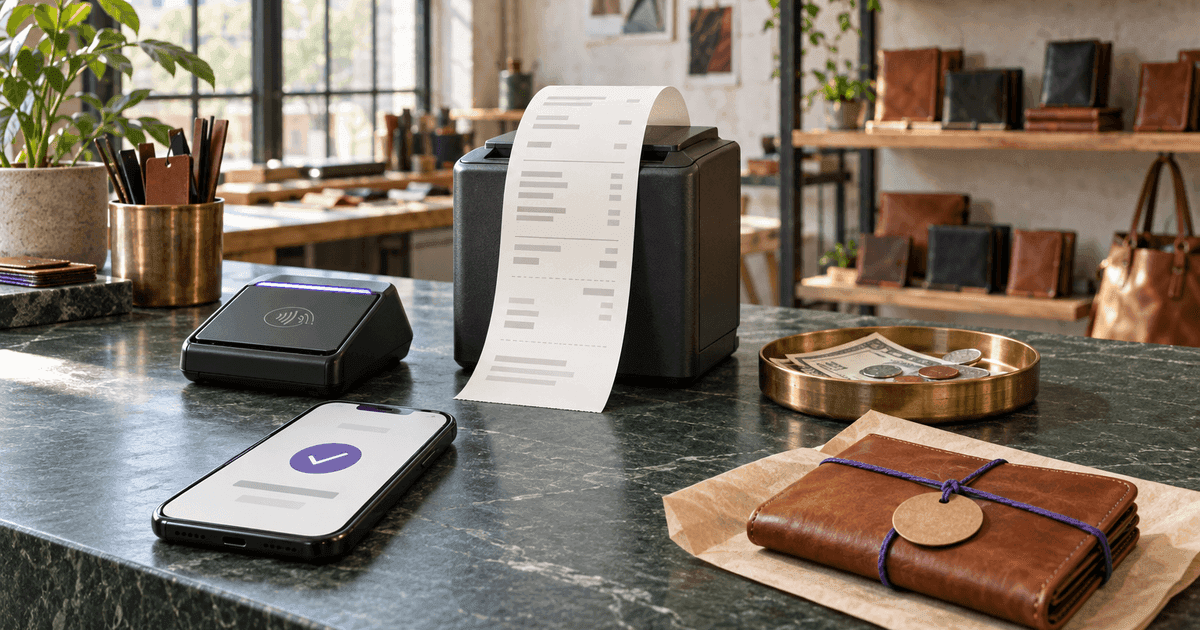
A PayPal notification proves that PayPal moved money. A Venmo or Zelle entry proves that an account sent money. A bank statement proves that a deposit arrived. None of those records, by itself, says exactly what the customer bought, which invoice the payment settled, how tax was calculated or whether a balance remains. That is the receipt's job.
A receipt is issued after payment, not before it. It joins the two sides of a transaction: the payment reference from cash, card, PayPal, Venmo, Zelle or bank transfer, and the commercial detail—the seller, buyer, date, items, tax and total—that makes the payment intelligible months later.
This guide shows how to make that document in a free Receipt Generator, includes a worked $431.27 example, and explains what changes by payment method. It also draws a hard line between documenting a real transaction and fabricating proof of purchase: a receipt should never claim money, tax, products or a merchant relationship that did not exist.
US recordkeeping guidance was checked against IRS Publication 583. Receipt and tax rules vary by country, state and industry, so confirm local requirements for regulated sales.
Receipt, invoice or payment screenshot?Use the document that matches the moment
An invoice requests money. A receipt confirms money already received. A payment-app screenshot records a transfer but usually lacks the itemization needed to explain the transfer.
Invoice
States what the customer owes, when it is due and how to pay. It remains open until the money arrives.
Receipt
Confirms what was paid, when, by which method and for which goods or services. The received amount has no balance due.
QuickBooks uses the same operational distinction: an invoice records goods or services the customer still owes for; a sales receipt records a sale paid at the time of purchase. If an existing invoice was paid, do not invent a second sale. Reference the original invoice number, mark that invoice paid in your Invoices Tracker, and issue the receipt against the payment.
The IRS makes a related recordkeeping point. A bank or card statement may establish that money moved, but proof of payment alone does not establish that an expense qualifies for a deduction. Supporting documents such as receipts, invoices and sales slips explain what the transaction was.
Make the receiptSeven steps from cleared payment to PDF
Do not create the final receipt while a card charge or transfer is still pending. A pending notification can fail, reverse or land in the wrong account. Confirm the amount and settlement first.
Verify that the payment cleared
Match the amount, payer and date in your cash count, bank, card processor or payment app. Copy the transaction reference into your private records.
Open the payment receipt template
Start in the free Receipt Generator rather than changing an old PDF. Reusing a finished receipt is how duplicate numbers and stale customer details survive.
Identify both parties
Enter the seller's legal or trading name and contact details. Add the customer's name or business entity when the receipt must support reimbursement, warranty or B2B records.
Assign a unique receipt number
Use a controlled sequence such as RC-2026-0042. Never silently reuse a number; a correction should point back to the original document.
Itemize what was paid for
Describe each product, service, quantity and unit price clearly enough that someone outside the transaction can reconstruct it.
Reproduce the agreed totals
Enter discounts and tax as separate lines. The final amount must equal the cleared payment or explicitly identify a partial payment tied to an open invoice.
Record the method and deliver the PDF
State cash, card, PayPal, Venmo, Zelle or bank transfer; add only a safe reference such as the last four digits or transaction suffix. Download the PDF and give the customer a copy.
CalculatorAI's generator lets you add a logo, seller and customer details, line items, percentage or fixed tax, discounts, currency, notes and a signature, then download a print-ready PDF. The PDF download itself is free and has no watermark. Saving documents, emailing them and maintaining a reusable history are separate account features.
What belongs on a receiptEnough detail to reconstruct the sale
There is no single universal US receipt layout for every business. The practical test is whether the document and its connected records clearly show who received the money, who paid, how much, when and why.
Seller
- Example
- Northline Repair LLC
- Why it matters
- Identifies who received the revenue
Receipt number
- Example
- RC-2026-0042
- Why it matters
- Creates a unique audit and support reference
Payment date
- Example
- September 24, 2026
- Why it matters
- Records when money was actually received
Customer
- Example
- Maya Chen
- Why it matters
- Connects the proof to the payer or expense claimant
Items
- Example
- 4 repair hours + materials
- Why it matters
- Explains what the payment purchased
Tax and discount
- Example
- $32.87 tax · $20 discount
- Why it matters
- Makes the total reproducible
Payment method
- Example
- Zelle · reference ending 9K4
- Why it matters
- Connects the receipt to the settlement record
Amount received
- Example
- $431.27 · paid
- Why it matters
- Confirms the amount this receipt acknowledges
| Field | Example | Why it matters |
|---|---|---|
| Seller | Northline Repair LLC | Identifies who received the revenue |
| Receipt number | RC-2026-0042 | Creates a unique audit and support reference |
| Payment date | September 24, 2026 | Records when money was actually received |
| Customer | Maya Chen | Connects the proof to the payer or expense claimant |
| Items | 4 repair hours + materials | Explains what the payment purchased |
| Tax and discount | $32.87 tax · $20 discount | Makes the total reproducible |
| Payment method | Zelle · reference ending 9K4 | Connects the receipt to the settlement record |
| Amount received | $431.27 · paid | Confirms the amount this receipt acknowledges |
Source: CalculatorAI · calculatorai.app · IRS Publication 583; CalculatorAI receipt methodology
Add the seller's tax registration number when local rules require it. Put warranty, return or project references in the notes when they matter to the transaction. Avoid collecting data simply because the template has space: a home address, complete card number or full payment-account identifier creates privacy risk without improving the proof.
Worked exampleRebuild the $431.27 instead of typing it
Suppose a repair business completed four hours of labor at $85 per hour and used $78.40 of materials. It granted a fixed $20 discount and applies an illustrative 8.25% tax rate to the discounted amount. This is a calculation example, not a statement that the labor or materials are taxable in your jurisdiction.
4 hours × $85 = $340.00$340.00 labor + $78.40 materials = $418.40$418.40 − $20.00 discount = $398.40$398.40 × 8.25% = $32.87$398.40 + $32.87 = $431.27The receipt should show the components, not only $431.27. That lets the customer confirm the discount, lets the seller reproduce the tax and lets either party match the final amount to the Zelle or card entry.
Round currency at the same stage your tax rules and point-of-sale system use. Calculating tax on each line and then adding it can differ by a cent from calculating on the aggregated taxable amount. The receipt should agree with the actual sales record and payment—not with a second, improvised calculation made later.
Cash, card, PayPal, Venmo and ZelleWhat changes by payment method
The commercial fields stay the same. Only the settlement evidence changes.
Cash
- Put on receipt
- Cash · amount received
- Keep privately
- Till or cash-log entry; change given if relevant
Card
- Put on receipt
- Card · brand and last four only
- Keep privately
- Processor transaction ID and settlement report
PayPal
- Put on receipt
- PayPal · safe reference suffix
- Keep privately
- Full transaction record and fee entry
Venmo
- Put on receipt
- Venmo · safe reference suffix
- Keep privately
- Business-profile transaction detail
Zelle
- Put on receipt
- Zelle · safe reference suffix
- Keep privately
- Bank confirmation and matched deposit
Bank transfer
- Put on receipt
- Bank transfer · reference suffix
- Keep privately
- Statement entry and remittance advice
| Method | Put on receipt | Keep privately |
|---|---|---|
| Cash | Cash · amount received | Till or cash-log entry; change given if relevant |
| Card | Card · brand and last four only | Processor transaction ID and settlement report |
| PayPal | PayPal · safe reference suffix | Full transaction record and fee entry |
| Venmo | Venmo · safe reference suffix | Business-profile transaction detail |
| Zelle | Zelle · safe reference suffix | Bank confirmation and matched deposit |
| Bank transfer | Bank transfer · reference suffix | Statement entry and remittance advice |
Source: CalculatorAI · calculatorai.app · CalculatorAI editorial workflow
For cash, the receipt may be the strongest direct evidence the payer has, because there is no independent app or bank entry. Make both copies at the moment of payment and do not leave the description as “services.” For digital wallets, use the business transaction record where the platform offers one and reconcile platform fees separately: a customer who sent $431.27 paid $431.27 even if the processor deposited a smaller net amount after fees.
CalculatorAI is not affiliated with PayPal, Venmo or Zelle. Their interfaces, business-account rules and transaction exports can change; use the identifier shown in your actual account without exposing a complete account, card or bank number.
Mistakes that turn a receipt into a dispute
The fastest way to make a receipt is not to skip the controls that make it believable.
Do not issue it before settlement
Use an invoice or payment request while money is pending. A receipt says funds were received.
Do not fabricate proof
Never create a branded receipt for a merchant, product, tax charge or transaction that did not exist. A template formats evidence; it does not create evidence.
Do not hide the itemization
“Consulting — $2,000” is weaker than dated deliverables, hours or project milestones that connect to the agreement.
Do not expose full payment credentials
Use the last four digits or a short reference suffix on the customer copy. Keep complete processor records in the secured business file.
Do not overwrite a final receipt
Keep the original, issue a corrected document with a new identifier and record why the correction exists.
Do not treat a receipt as tax advice
The generator can calculate the rate you enter, but it cannot decide whether the sale is taxable or which registration number your jurisdiction requires.
If a customer paid only part of an invoice, the receipt should acknowledge only the amount received and reference the invoice whose balance remains. Do not label the entire invoice “paid in full” unless it is. If a payment is refunded, retain the original receipt and create the corresponding refund or credit record rather than deleting history.
Store the receiptA PDF is useful only if you can retrieve it
IRS Publication 583 says electronic systems used for tax records must preserve complete and accurate data and reproduce it legibly. It also says supporting documents should be kept orderly and safe. That does not mean every business has the same retention period; it means an unlabeled file in Downloads is not a system.
Use a predictable structure such as:
2026 / receipts-issued / RC-2026-0042.pdf2026 / settlement-reports / 2026-09-zelle.pdf- customer or project record linking receipt
RC-2026-0042to invoiceINV-2026-0118
Back up the records, restrict who can edit them and preserve the original PDF after it is sent. If you use the Invoices Tracker, keep the invoice's draft, sent and paid states attached to the same transaction instead of generating unrelated documents with no common reference.
FAQFrequently asked questions
Can I make my own receipt?
Yes. A receipt does not need to come from a cash register to be useful. It needs to truthfully identify the seller, payment, date, items and amount, plus any fields your local rules require.
Is a PayPal, Venmo or Zelle screenshot a receipt?
It is evidence of a transfer. It may not identify the goods or services, tax treatment, invoice or seller details. Pair the transaction record with an itemized receipt when the commercial context matters.
Can I issue a receipt for cash?
Yes, and doing it at the payment moment is especially important because cash has no automatic bank or app trail. Give the payer a copy and retain the matching numbered record.
Does a receipt need a signature?
Not every transaction or jurisdiction requires one. A signature can strengthen acknowledgement for cash, private sales, rent or hand-delivered services; the generator includes an optional signature canvas.
Is a digital PDF receipt valid for recordkeeping?
The IRS accepts electronic storage systems when records remain complete, accurate, accessible and reproducible in legible form. Other jurisdictions may impose additional format, tax or retention rules.
Can I edit a receipt after sending it?
Correct an error transparently. Retain the original, issue a corrected receipt with its own identifier or revision trail, and explain the change. Do not silently replace evidence already given to a customer.
What if the payment covers an existing invoice?
Reference that invoice, record the amount received and mark the invoice paid only when its balance reaches zero. The receipt closes the payment; it should not create a duplicate sale.
Make the real receiptTwo minutes, one clean record
Confirm the payment, open the Receipt Generator, replace the sample details, itemize the sale and reproduce the tax and discount calculation. Add the payment method and a safe reference suffix, then download the PDF and give the customer a copy.
If the money has not arrived yet, start with the Invoice Generator instead. If it has arrived, the receipt should make one fact obvious to a customer, bookkeeper or auditor seeing it for the first time: who paid whom, how much, when and for what.
That is more useful than a screenshot—and far more credible than a receipt invented after the fact.