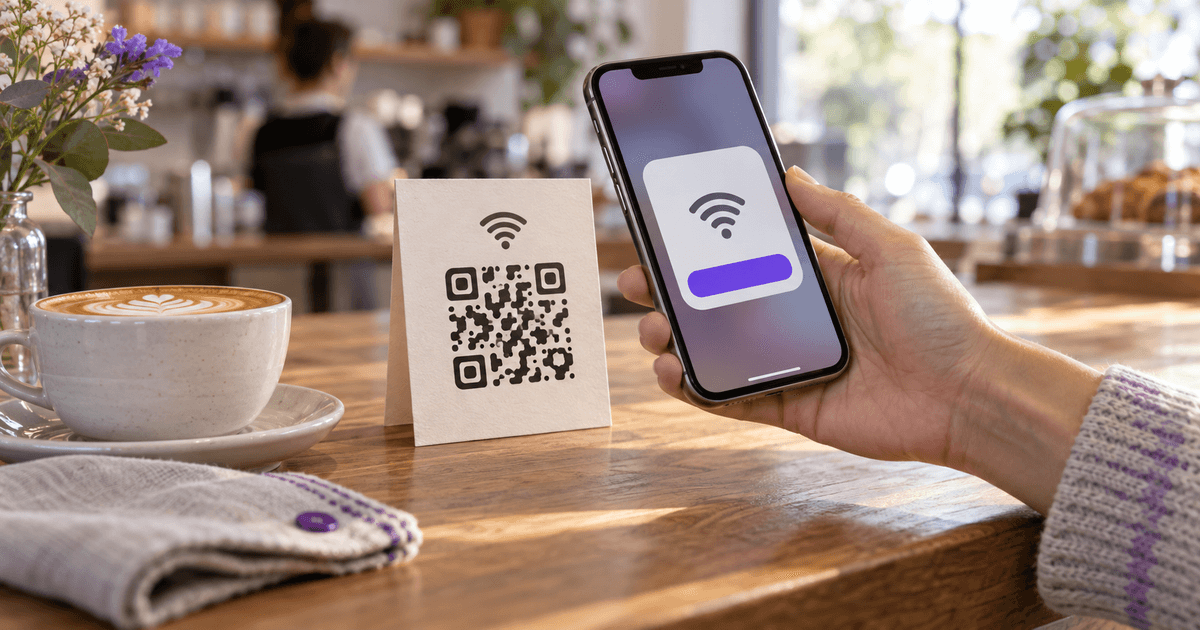
Every guest who has ever asked for the Wi-Fi has watched someone squint at the underside of a router, read out a string like quietcoconut934x one character at a time, and get it wrong twice. A Wi-Fi QR code ends that: the phone's camera reads the network name and password from the squares and offers to join. No typing, no spelling out whether that was a zero or an O, no app to install.
It takes about two minutes to make, and it is free, because a Wi-Fi code is the simplest kind of QR code there is — a short line of text in a fixed format that every phone since 2017 understands. This guide shows what is inside the code, how to make one in the generator or straight from your phone, what it does and does not protect, and how big to print it. The part most guides skip is the middle one: the code contains the password, and knowing exactly what that means is what keeps a café's guest network from becoming the whole building's.
What is insideOne line of text, not a link
A URL QR code holds a web address. A Wi-Fi QR code holds a short text string in a format that Android and iOS both recognise:
WIFI:T:WPA;S:NetworkName;P:Password;;WPA (covers WPA2 and WPA3) · WEP · nopass (open network)Exactly as the router broadcasts it, including case and spacesOmitted for an open network; special characters \ ; , " : are escaped with a backslashH:true; only when the router does not broadcast the nameSo a café network called CafeWifi with the password latte123 becomes WIFI:T:WPA;S:CafeWifi;P:latte123;; — 34 characters — and that is the whole content of the code. Three things follow from it, and they are the three things people get wrong.
The phone joins by itself
The camera reads the string and shows a Join prompt with the network name. The phone stores the credentials the way it would after a manual join. No internet connection is needed to read the code — it works in a basement, on a plane, and after your generator's website is gone.
It does not hide the password
The password is in the code in plain text. iOS and Android hide it behind the Join button, but any general-purpose QR reader shows the raw string, and a photo of the code is a copy of the password. The code saves typing; it is not a lock.
The third consequence is that a Wi-Fi code must be static. A dynamic QR code holds a short redirect URL and sends the phone to a server, which is useful for a menu you want to edit later — and useless for Wi-Fi, because the phone would have to be online to fetch the redirect before it could join the network the redirect describes. Any generator that offers a "dynamic Wi-Fi code" is either encoding it statically anyway or selling you a subscription for a code that cannot work as advertised.
Make one in the generatorTwo minutes, no account
The Wi-Fi QR Code Generator opens with the Wi-Fi form already selected and assembles the string for you, including the escaping.
Copy the network name exactly
The SSID is case-sensitive and spaces count. Copy it from the router's admin page or from a phone that is already connected, not from memory. If your router broadcasts a 2.4 GHz and a 5 GHz network under different names, pick the one guests should use — usually the 2.4 GHz one for range, or the combined name if the router merges them.
Enter the password and pick the security type
WPA/WPA2/WPA3 is right for nearly every network made since 2006; the code uses T:WPA for all three and the phone negotiates the rest. WEP exists for very old routers. Choose 'no password' for an open network and leave the password blank — the generator drops the P field.
Tick 'hidden' only if the network really is hidden
A hidden network is one whose name the router does not broadcast. Most are not. Ticking the box on a visible network makes some phones search for a hidden copy of it and fail to join.
Style it, but keep the contrast
A colour, rounded modules and a small logo are fine. Keep the code darker than the background — scanners read dark-on-light, and an inverted or pastel code fails on exactly the phones you cannot test. Leave error correction at High if you add a logo, Medium if you do not.
Download PNG or SVG and test it before you print
Scan the download with an iPhone and an Android phone that have never joined the network. Both should show a Join prompt with the right network name. Then print. SVG scales to any size without blurring; PNG is fine for a card or a sticker.
The image is built in your browser; nothing is sent to a server unless you choose to save the code to your account. Once it is downloaded, the generator's part is over — which is the point. The code will still work in ten years, as our guide to QR codes that do not expire explains; it only stops working when you change the password.
Or make one from your phoneBuilt in since 2019
If you only need the code once — a friend's laptop, a visiting relative — every platform can now generate it from a saved network, with no generator at all.
iPhone (iOS 18 and later)
Open the Passwords app, tap Wi-Fi, choose the network, then Show Network QR Code. Point the other phone's camera at your screen. Earlier iOS versions can share a password only with nearby Apple devices in your contacts, which is why Android guests needed the code.
Android (10 and later)
Settings → Network & internet → Internet, tap the connected network, then Share. After unlocking with your PIN or fingerprint, Android shows the QR code — and, on most phones, the password in plain text underneath it. The exact menu names vary by manufacturer.
Windows 11
Settings → Network & internet → Wi-Fi, open the connected network's properties and choose Show next to the password. Recent Windows 11 builds display a QR code beside it. To scan one on a Windows laptop, the Camera app has a barcode mode.
When the generator is still the better tool
The phone's code is plain black-and-white and expires with your screen. For anything printed — a table tent, a rental welcome card, a sticker by the reception desk — you want a file you can style, resize and reprint, which is what the generator gives you.
What it protects and what it does notThe code is the password
Because the string is unencrypted, the security question is not "can someone read the code" — anyone who can see it can — but "who can see it." That reframing settles most of the practical decisions.
- Put a code on the guest network, never the main one. Nearly every router made in the last decade can run a second network that reaches the internet but not your printers, cameras, file shares or smart-home devices. That is the network a QR code belongs on. If a guest's phone is compromised, or a photo of the code ends up online, the blast radius is a network with nothing on it.
- Display it where the people you would tell the password are. Inside the café, not in the window. On the fridge, not the front door. A holiday rental's welcome card belongs on the kitchen counter, not in the listing photos. Anyone who can photograph the code from the street has the password from the street.
- Change the password on a schedule, and reprint. A guest network's password in a rental or a shared office should change every few months. The code is static, so a new password means a new code — sixty seconds in the generator, a new print, and every old photo of the old code is worthless. That is the one thing "static" is good for.
- Treat a hidden network as no protection at all. Hiding the SSID stops it appearing in the list; it does not stop anyone with a free tool from seeing it, and it makes phones that have joined it broadcast its name everywhere they go. Use a strong password on a visible guest network instead.
- Enterprise networks cannot be shared this way. A network that asks for a username and a password (WPA2-Enterprise, common in offices and universities) has no QR format; each person's credentials are their own. The code is for pre-shared-key networks — the ones with a single password.
How big to printSizes for real payloads
Wi-Fi codes are short, so they stay small and easy to scan. The version — the size of the grid — depends on the length of the string and the error-correction level, and the minimum print size follows from that at 0.4 mm per module, the same rule our other QR guides use for phone scanning at arm's length.
Café, 8-character password
- Characters
- 34
- Level M · min print
- 29×29 · 14.8 mm
- Level H (logo) · min print
- 33×33 · 16.4 mm
Home router default, 16-character password
- Characters
- 46
- Level M · min print
- 33×33 · 16.4 mm
- Level H (logo) · min print
- 37×37 · 18.0 mm
Hidden network, 20-character password
- Characters
- 55
- Level M · min print
- 33×33 · 16.4 mm
- Level H (logo) · min print
- 41×41 · 19.6 mm
Long passphrase, 33 characters
- Characters
- 74
- Level M · min print
- 37×37 · 18.0 mm
- Level H (logo) · min print
- 49×49 · 22.8 mm
Open network, no password
- Characters
- 35
- Level M · min print
- 29×29 · 14.8 mm
- Level H (logo) · min print
- 33×33 · 16.4 mm
| Network | Characters | Level M · min print | Level H (logo) · min print |
|---|---|---|---|
| Café, 8-character password | 34 | 29×29 · 14.8 mm | 33×33 · 16.4 mm |
| Home router default, 16-character password | 46 | 33×33 · 16.4 mm | 37×37 · 18.0 mm |
| Hidden network, 20-character password | 55 | 33×33 · 16.4 mm | 41×41 · 19.6 mm |
| Long passphrase, 33 characters | 74 | 37×37 · 18.0 mm | 49×49 · 22.8 mm |
| Open network, no password | 35 | 29×29 · 14.8 mm | 33×33 · 16.4 mm |
Source: CalculatorAI · calculatorai.app · drafts/wifi-qr-code-numbers.mjs, using the same qrcode library as the generator
Those are minimums for a phone held close. In practice, print a Wi-Fi code at 3 cm or more for a card or table tent, 5 cm for a sticker on a wall, and about a tenth of the intended scanning distance for anything larger — a code meant to be scanned from a metre away should be 10 cm wide. A longer password costs almost nothing here: doubling the password length moves the grid up one or two versions, a few millimetres. It costs more to add a logo than to use a 30-character passphrase, so if you want both, use a bigger print.
When it does not workSix causes, in order of likelihood
The phone joined, but there is still no internet
Hotel, airport and some café networks put a login page (a 'captive portal') in front of the connection. The QR code joins the network; the portal still appears. That is not a fault in the code — but it is a reason to run the guest network without a portal if you can.
Wrong network name
One capital letter, a trailing space or a different suffix ('-5G', '_EXT') and the phone reports that the network cannot be found. Copy the SSID from a connected device, never from memory, and check the code decodes to exactly that string.
A password with special characters, unescaped
A semicolon, comma, colon, quote or backslash in the password or the name has to be escaped with a backslash in the string. The generator does this automatically; a code typed by hand or built by a spreadsheet formula usually does not.
'Hidden' ticked on a visible network — or the reverse
Match the flag to the router setting. A wrongly flagged code joins on some phones and fails silently on others, which makes it look intermittent.
The phone is already connected to another network
Some phones, especially on Android, ignore the Join prompt when a stronger saved network is present. Turn off the other network's auto-join, or test from a phone with no saved networks nearby.
Too small, too pale, or printed inverted
A code under 15 mm, a light-grey code on white, or white squares on a dark background all read fine on the designer's screen and fail on the cheapest phone in the room. Dark on light, 3 cm, and a real test on two phones before you laminate anything.
The same code that saves a café five explanations a day works anywhere the network is the same for everyone: a holiday rental's welcome card, the reception desk of a small office, the shared table at a coworking space, a wedding venue, a classroom. It belongs beside the restaurant menu code on the table and on the back of a QR business card for a home office that receives clients. And since it needs no server and no account, it is one of the few QR codes with nothing that can expire except the password itself.
Where these numbers come from
The payload format (WIFI:T:…;S:…;P:…;H:…;;) is the de-facto standard first documented by the ZXing barcode project and implemented in the iOS and Android cameras; the T:WPA value covers WPA2 and WPA3 in current phones, which negotiate the actual protocol with the router. The grid sizes and minimum print sizes in the table were computed in drafts/wifi-qr-code-numbers.mjs with the same qrcode library the CalculatorAI generator uses, at error-correction levels M and H, with the print size taken as (modules + 8) × 0.4 mm — the 8 being the quiet zone of four modules on each side — consistent with our earlier QR guides. The "tenth of the scanning distance" rule is the usual print guideline, not a measurement. Platform steps for iOS 18 (Passwords app → Wi-Fi → Show Network QR Code), Android 10+ (network → Share) and Windows 11 (Wi-Fi properties → Show password) were checked against Apple, Google and Microsoft support material and coverage from September 2024 to 2026; exact menu names vary by version and manufacturer. No third-party generator's behaviour is described beyond the general point that a Wi-Fi payload cannot be dynamic.
Frequently asked questions
Is it safe to share Wi-Fi with a QR code? It is exactly as safe as telling someone the password: the code contains it in plain text, and anyone who can scan or photograph the code has it. Put the code on a guest network that is isolated from your own devices, display it only where the people you would tell are, and change the password now and then.
Do I need an app to scan a Wi-Fi QR code? No. The built-in camera on iPhone (iOS 11 and later) and on Android (10 and later, and most earlier phones through Google Lens) recognises the format and shows a Join prompt. A general QR-reader app also works, but it shows the raw string, password included.
Does a Wi-Fi QR code expire? No. It is a static code with the credentials inside it, so it works for as long as the network name and password stay the same and the print stays legible. When you change the password, make a new code.
Can I make a Wi-Fi QR code for a hidden network?
Yes — tick 'hidden' in the generator, which adds H:true; to the string. Only do this if the router genuinely does not broadcast the name; flagging a visible network as hidden makes some phones fail to join.
Why does the phone join but nothing loads? Most often a captive portal: the network requires a login page after joining, as hotels and airports do. The code did its job; the portal is a separate step. Otherwise check that the network you encoded is the one that actually has internet access — the 5 GHz name, the guest network and the main network can be different networks with different passwords.